Your garden, in your pocket.
Mr. McGregor is a free iPhone app for a home garden: its beds and what's planted in them, the chores, a log with photos, your soil sensors, and a steward to ask. It keeps everything in your own iCloud, and shares it with your family.
Free on the App Store. No account to make.
Wants 45–65% · fine
Wants 40–55% · fine
Wants 25–35% · water it today
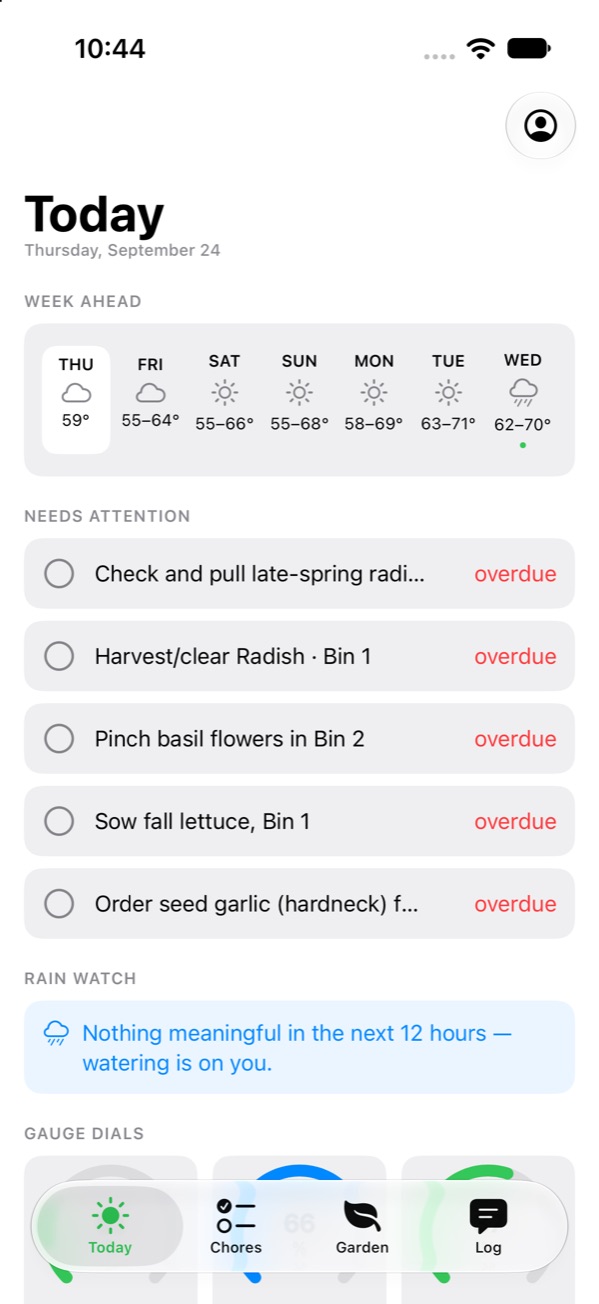
Know what the garden needs before you head out.
Today puts the week's weather, what's due and what's thirsty on one screen, from your sensors, your chores and the forecast.
Today
Thursday, October 1
Week Ahead
- THU48–59°
- FRI55–64°
- SAT55–66°
- SUN55–68°
- MON58–69°
- TUE63–71°
- WED62–70°
Needs Attention
Water Bin 3
DuePinch basil flowers in Bin 2
DueSow fall lettuce, Bin 1
Overdue
Moisture
- 58%
Bin 1
Good
47%Bin 2
Good
22%Bin 3
Dry
Rain Watch
Nothing meaningful in the next 12 hours
Watering is on you.
Reminders
Frost tonight
31°F by 5 am. Bring the rosemary in.
Ask the Steward
Does anything need water?
Bin 3 is at 22%, under its 25–35% band — give it a drink today. Bins 1 and 2 are fine, and no rain is due before Wednesday.
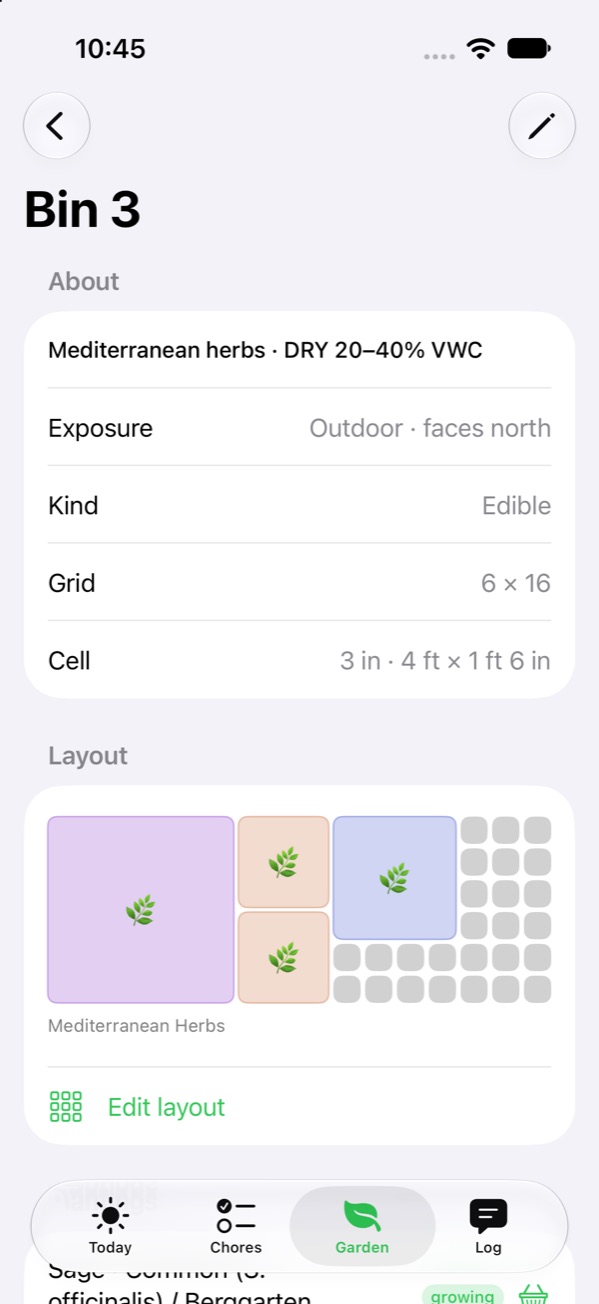
Every bed, mapped to the inch.
Draw each bed as a grid and place plantings at their spacing; the map won't take a plant that doesn't fit. Seasons run on a timeline, so you can see what's in the ground now and what comes out next.
- Layouts by the cell. Three-inch squares in a four-foot bin, or whatever your beds are.
- Seasons and phases. Spring greens out, fall greens in, garlic over winter.
- Plants and supplies. Every variety you grow, and the seed and soil you have on hand.
- Your own notes. Reference pages beside the garden they're about.
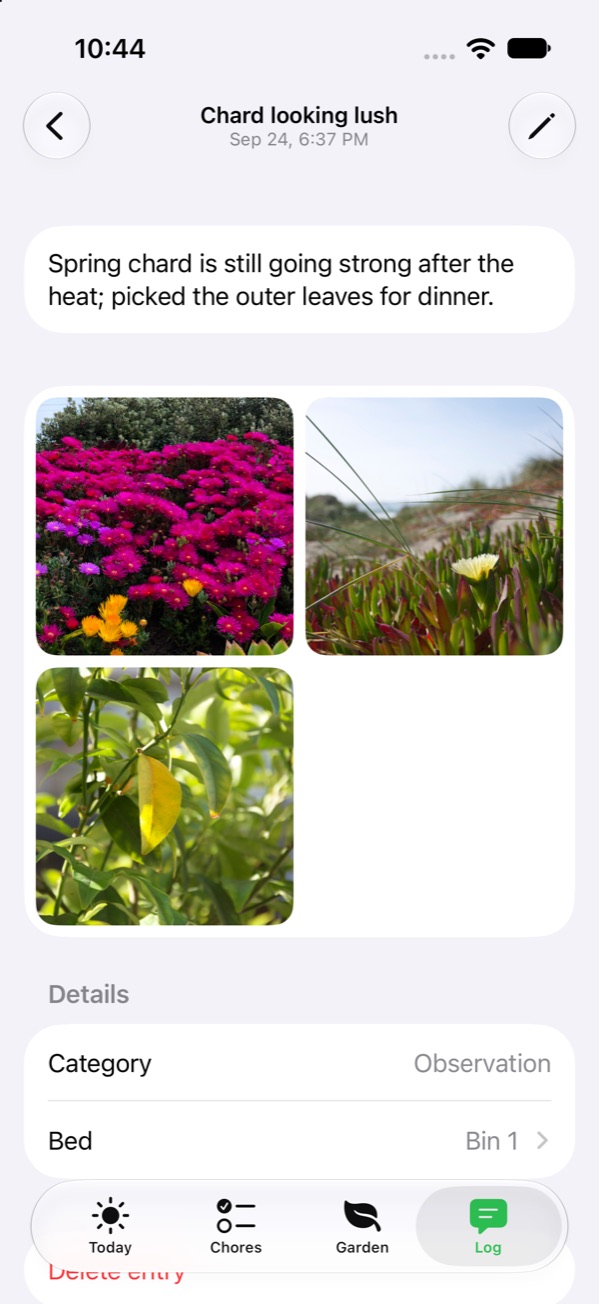
A log that keeps the pictures.
Note what happened — a harvest, a pest, a hard frost — and add photos. They sync with the rest of the garden through your iCloud, and reach everyone you share it with.
- Sized for the garden, not the archive. Photos are kept upright and at a sensible size, so a season of them doesn't fill your iCloud.
- Look closer. Swipe through an entry's photos and pinch to zoom.
- Find it again. Filter the log by kind: harvests, waterings, pests, notes.
Your garden, in your own iCloud.
Everything is kept on your iPhone and synced through iCloud with the Apple ID you already use, like your photos and notes. There's no account to make, and nothing you do waits on a server of ours.
Works with no signal
Beds, plantings, chores and the log are on the phone, so it works at the far end of the garden.
Follows you to a new iPhone
Your gardens sync through iCloud, so a new phone picks up where the old one left off.
Shared with the family
Share a garden through iCloud with whoever waters while you're away, to look or to help. Stop sharing whenever you like.
Nothing to sign up for
No account and no password: it uses the Apple ID your iPhone is signed in with.
Questions gardeners ask.
No. The garden lives on your iPhone and in your iCloud, under the Apple ID you already use. There's nothing to sign up for.
You, on your own devices, and the people you share it with. We don't keep a copy on a server of ours; backups, coming soon, will be the one exception, and the privacy page says how they work.
Home Assistant and Ecowitt: soil moisture, temperature, rain, each shown against the range its bed wants. Your iPhone reads them directly whenever it can reach them.
The steward runs on Apple Intelligence, on the phone itself, so it needs an iPhone that supports Apple Intelligence. Everything else works without it.
The garden's out there. Mr. McGregor keeps track of it.
Free for iPhone, with your garden in your own iCloud.